SEO-First Web Architecture: Why Integrate Technical SEO from the UI/UX Design Phase

A website redesign usually kicks off with a seemingly simple question:
*“What do we want our new website to look like?”*
Yet before defining colors, typography palettes, modular components, or interface animations, there is a far more strategic question to answer:
“How do we want this website to function, be discovered, and grow over time?”
When SEO specialists, UI/UX designers, and software engineers work in silos, it is common for each discipline to optimize only their specific slice of the puzzle.
The designer aims for an aesthetically compelling and clear interface. The developer strives to build it cleanly and efficiently. The SEO specialist attempts to capture organic search visibility after launch.
The breakdown occurs when these decisions are made without unified coordination.
An architecture defined without considering SEO often leads to unindexable URLs, critical content locked behind inaccessible client scripts, or a navigation hierarchy that fails to match how real users search.
Conversely, a website built strictly for search engine crawlers can easily end up delivering a sterile, confusing user experience with poor conversion rates.
This is why modern teams adopt a more effective paradigm: SEO-First Web Architecture.
This does not mean designing a website solely for Google's bots.
It means designing from day one with a deep understanding of how real people search, how they navigate, how they interact with interfaces, and how search engines interpret and rank digital content.
What Does Designing an SEO-First Website Actually Mean?
An SEO-First architecture integrates organic search requirements during the initial discovery and planning stages—well before the final user interface is locked down.
The traditional web development workflow typically looks like this:
Visual Design → Development → Launch → SEO Audit → Retroactive FixesThe core issue with this sequential approach is that structural decisions made in design tools like Figma become extremely complex, time-consuming, and expensive to overhaul once code is deployed.
An SEO-First methodology flips the workflow:
Research → Architecture → Content Strategy → UI/UX → Development → Technical SEO → Launch → Continuous OptimizationThis ensures that fundamental architectural decisions such as:
- ◆Which pages the website must have.
- ◆What URL taxonomy to employ.
- ◆What specific content and intent each page must satisfy.
- ◆How categories and topic clusters are organized.
- ◆Which search queries users use to discover solutions.
- ◆How the primary and secondary navigation flows will operate.
- ◆Which elements must be crawlable and indexable.
- ◆What core data must reside directly in the initial HTML response.
- ◆How internal authority (PageRank) flows between related pages.
are established before writing the very first line of production code.
The goal is not to design a website solely for Google.
The goal is to build a digital product that search engines can effortlessly understand and that human users genuinely enjoy using.
The Pitfall of Starting Exclusively with Visual Design
One of the most frequent mistakes in digital redesigns is diving straight into visual canvas tools.
A striking homepage is mocked up, interactive cards, hero banners, and slick motion effects are crafted, and only near the end does someone ask:
*“Where do we put the SEO content?”*
At that exact moment, an architectural bottleneck has already been created.
Content should never be an afterthought squeezed into decorative placeholders.
Information architecture must actively shape the interface structure.
For example, imagine a digital agency offering:
- ◆Web Development
- ◆Technical SEO
- ◆UI/UX Design
- ◆Google Ads
- ◆Digital Consulting
A purely visual design approach might create a single generic page titled “Services” containing five concise overview cards.
From a minimal UI perspective, this might look clean.
From an SEO perspective, a massive organic opportunity is lost.
If each service reflects a distinct search intent, the optimal approach is to architect dedicated, authoritative landing pages:
/web-development/
/technical-seo/
/ui-ux/
/google-ads/
/digital-consulting/
The website architecture now simultaneously addresses three critical requirements:
- 1.What does the user need to solve their problem?
- 2.How do we guide them seamlessly toward conversion?
- 3.What distinct entities and keywords can search engines index and rank?
This is where true SEO-First architecture begins.
Web Architecture: The Bridge Connecting UX and SEO
A sound information architecture must operate efficiently in two complementary directions.
For human users, it must be:
- ◆Logical, intuitive, and predictable.
- ◆Effortless to navigate.
- ◆Accessible and consistent across all devices.
- ◆Fast and responsive under real-world conditions.
For search engine crawlers and AI answer engines, it must be:
- ◆Fully crawlable and indexable.
- ◆Semantically explicit and hierarchically structured.
- ◆Strongly connected through relevant internal links.
- ◆Capable of clearly expressing topical entity relationships.
This transforms web architecture into the shared ground where UX and SEO cease to be isolated disciplines and merge into a unified product discipline.
1. Keyword & Intent Research Prior to Wireframing
One of the costliest oversights is defining site structure based purely on internal corporate terminology.
SEO-First begins by asking: How do real target audiences search for these solutions?
Keyword and intent research is not merely an editorial tool for blog posts; it is a foundational blueprint for site structure.
Consider an industrial HVAC company. Comprehensive search research might uncover distinct queries such as:
- ◆Industrial air conditioning installation
- ◆Commercial HVAC preventive maintenance
- ◆Emergency rooftop AC repair
- ◆Energy-efficient cooling systems for warehouses
These distinct search patterns reveal multiple specific user intents. Rather than lumping them into a single page, they should form the basis for distinct service categories, subpages, and conversion funnels.
The workflow becomes:
Keyword & Intent Research → Information Architecture → Page Blueprints → Content Strategy → Visual UI Designrather than the reactive trap:
Visual UI Design → Page Templates → Attempting to Force Keywords into Rigid LayoutsThis structural pivot dramatically increases the organic growth ceiling of the entire digital asset.
2. Information Architecture: Designing Before Decorating
Before picking color palettes or typography pairings, there should be a validated logical Site Tree.
For example:
Home
│
├── Services
│   ├── Technical SEO
│   ├── Web Development
│   ├── UI/UX Design
│   └── Google Ads
│
├── Industries
│   ├── Healthcare
│   ├── Retail & E-Commerce
│   └── B2B SaaS
│
├── Case Studies
│
├── Blog
│   ├── Technical SEO
│   ├── Web Development
│   └── UI/UX Design
│
└── Contact
This high-level map enables cross-functional teams to identify prior to development:
- ◆Which core pages exist and which ones are missing.
- ◆Potential keyword cannibalization between competing pages.
- ◆Hierarchical relationships and breadcrumb trails.
- ◆Strategic internal linking pathways.
- ◆Which landing pages require the highest internal PageRank distribution.
It also prevents creating “dead-end” pages born out of internal corporate silos that satisfy zero real search demand.
3. Semantic HTML: Visual Appearance Is Not Code Hierarchy
Human users perceive visual hierarchy through font sizes, weights, colors, and spatial positioning. Search engine bots and assistive devices parse document code.
An element that visually resembles a main title on screen is not inherently understood as one by a crawler.
For example:
<div class="hero-title">Technical SEO Services</div>might look identical in a web browser, but semantically it fails to convey the weight and meaning of:
<h1>Technical SEO Services</h1>Semantic HTML directly influences web accessibility (WCAG), assistive technologies (screen readers), and search engine document comprehension.
During the UI/UX design phase, there must be a 1-to-1 alignment between:
Visual Hierarchy → Semantic Code Hierarchy → Content Topic Hierarchy4. H1, H2, H3: Decoupling Visual Styling from Document Semantics
A common antipattern, particularly in visual page builders, is choosing HTML heading tags based purely on visual font size:
*“I want this heading to be slightly smaller, so I'll make it an H3 instead of an H2.”*
This conflates two entirely independent concepts: visual styling and document semantics.
A well-structured design system using modern CSS allows an <h2> to have the exact visual appearance of an <h3>, a <p>, or a custom display class whenever the UI calls for it, while keeping the semantic outline of the document pristine.
5. Should a Page Only Have a Single H1?
For years, an uncompromising rule was repeated across the industry: *“Every webpage must have exactly one H1 tag.”*
Modern search engines are more nuanced: what truly matters is that the document possesses a clear, logical structure where the primary heading accurately reflects the overarching topic of the page.
In the vast majority of standard business and editorial websites, maintaining a single <h1> remains an industry best practice because it provides clarity for crawlers, assistive devices, and users alike.
Rather than fixating on arbitrary tag counts, the objective is building an intuitive semantic outline:
H1 — Technical SEO Services
  ├── H2 — Technical Site Audits
  │     ├── H3 — Crawling and Indexation
  │     └── H3 — Core Web Vitals Optimization
  ├── H2 — On-Page SEO Architecture
  │     ├── H3 — Content Hierarchy and Taxonomy
  │     └── H3 — Strategic Internal Linking
  └── H2 — Organic Search Consulting
6. Design Systems: Where UX, Engineering, and SEO Align
A Design System is far more than a Figma UI kit of buttons and color tokens. It is an agreed set of reusable components and engineering rules that enforce consistency across the entire digital product.
It encompasses:
- ◆Modular typography scales and font display strategies.
- ◆Tested color palettes and contrast ratios.
- ◆Spacing scales and layout grid systems.
- ◆Accessible buttons, forms, and interactive link states.
- ◆Modular content cards, accordions, and data tables.
- ◆Responsive navigation bars and breadcrumb components.
- ◆Accessibility standards (ARIA, keyboard navigation, focus rings).
When SEO criteria are embedded directly into Design System components, every newly generated page automatically inherits semantic markup, crawlable anchor links with proper <a> tags, optimized image handling, and accessible contrast out of the box.
7. Navigation Menus: Designing for Humans and Web Crawlers
Main navigation menus should never be structured around vague internal jargon or creative marketing buzzwords.
They must clearly answer:
- ◆What is the user looking for?
- ◆What core offerings drive business revenue?
- ◆How are these offerings categorized?
| Ambiguous Navigation Label | Descriptive SEO-First Label |
|---|---|
| ❌ “Solutions” | ✅ “Commercial HVAC Services” |
| ❌ “What We Do” | ✅ “Web Development & Technical SEO” |
| ❌ “Platform” | ✅ “Property Management Software” |
This is not about keyword stuffing navigation bars; it is about using precise, user-centric language that eliminates guesswork for both people and search engines.
8. Crawl Depth and Internal Authority Distribution
Strategic landing pages must never be buried deep in an inaccessible click labyrinth:
Home ↓ Category ↓ Subcategory ↓ Product Line ↓ Sub-model ↓ Target PageIf a user or crawler needs 6 or 7 clicks to reach a primary service page, internal PageRank distribution is severely diluted.
Key commercial and informative pages must be:
- ◆Discoverable within minimal clicks from top-level entry points.
- ◆Connected via contextual internal links with descriptive anchor text.
- ◆Accessible through related case studies, blog posts, and service hubs.
- ◆Never solely dependent on an XML sitemap for search discovery.
9. Breadcrumbs: Far More Than a Visual Convenience
Breadcrumb navigation explicitly communicates to visitors exactly where they are situated within the broader website architecture:
Home → Services → SEO → Technical SEOIn addition to reducing bounce rates and facilitating multi-level browsing, implementing breadcrumb markup with structured data (BreadcrumbList on Schema.org) enables Google to accurately display rich hierarchical breadcrumbs in search engine results pages (SERPs).
10. URLs Are Part of the Core Product Architecture
A URL should never be an unreadable string automatically generated by a database or CMS. It is an essential component of information architecture.
- ◆❌
/site/?p=9843&cat=12(Opaque, uninformative) - ◆✅
/services/technical-seo/(Clean, semantic, permanent)
A well-crafted URL must be:
- ◆Descriptive: Users and algorithms immediately understand the destination.
- ◆Durable: Engineered to remain unchanged over years of site iterations.
- ◆Concise: Free of redundant parameters, dates, or filler words.
- ◆Hierarchical: Perfectly aligned with the site's structural taxonomy.
URLs accumulate historical authority, backlinks, and user trust. Modifying them haphazardly during a redesign can dismantle years of hard-won search equity.
11. Website Redesigns: The Point of Maximum Traffic Vulnerability
A redesign is not merely a visual facelift; it frequently alters URL structures, content outlines, internal links, canonical tags, metadata, media assets, scripts, and server response times.
Launching a redesigned website without rigorous pre-launch SEO planning is one of the most common causes of catastrophic organic traffic drops.
Essential SEO Redesign & Migration Checklist
Pre-Launch Phase
- ◆Complete site crawl of the legacy environment (Screaming Frog / Sitebulb).
- ◆Comprehensive URL inventory mapped against Google Search Console and GA4 historical traffic.
- ◆Identification of all pages with authoritative inbound backlinks.
- ◆Detailed 301 Redirect Mapping matrix (Old Legacy URL → New Relevant URL).
- ◆Review and validation of the new taxonomy and metadata schema.
Launch Phase
- ◆Deployment and rigorous testing of all 301 permanent redirects.
- ◆Verification of self-referential
canonicaltags,robots.txt, andhreflangrules. - ◆Generation and submission of the updated XML Sitemap.
- ◆Verification that internal links point directly to 200 OK URLs (no redirect chains or 404 loops).
Post-Launch Phase
- ◆Daily monitoring of Google Search Console (indexing status, crawl errors, 404 logs).
- ◆Production Core Web Vitals audit using Field and Lab data.
- ◆Daily tracking of primary keyword rankings and organic conversion funnels.
12. JavaScript and Rendering: Content Must Exist in Code
Modern JavaScript frameworks like React, Next.js, and Vue empower developers to build dynamic web experiences. However, an architectural question must be answered from day one:
How is critical content delivered to web browsers and search/AI crawlers?
Pure Client-Side Rendering (CSR) can pose significant organic search risks. If crawlers receive an empty HTML shell like <div id="root"></div> and must wait for complex JavaScript bundles to execute before indexing textual content, indexing delays occur and critical information may fail to render.
For websites where organic visibility is paramount, recommended rendering strategies include:
- ◆Server-Side Rendering (SSR): Complete, fully-rendered HTML is generated on the server for every request.
- ◆Static Site Generation (SSG): Pages are pre-rendered into blazing-fast static HTML at build time.
- ◆Incremental Static Regeneration (ISR) / Hybrid Rendering: Combining static speed with background revalidation.
The rendering model is not purely a developer preference; it requires close alignment between engineering, UX, and SEO teams.
13. Performance: Designing with Core Web Vitals in Mind
Web speed and layout stability cannot be slapped on at the end with a caching plugin; they are engineered during design.
If a visual mockup demands massive uncompressed hero images, autoplaying background video, four distinct web font families, and dozens of third-party tracking tags, the product will suffer performance bottlenecks from the start.
During UI/UX wireframing, teams must evaluate:
- ◆LCP (Largest Contentful Paint): What constitutes the primary above-the-fold content, and how can it be prioritized?
- ◆INP (Interaction to Next Paint): Will user inputs (clicks, taps, menus) trigger instant feedback without blocking the browser's Main Thread?
- ◆CLS (Cumulative Layout Shift): Are explicit aspect ratios and dimensions reserved for media containers and dynamic banners to eliminate layout jumping?
Optimizing Core Web Vitals is not about chasing arbitrary scores; it is about removing real interaction friction for human visitors.
14. Accessibility and SEO: Two Sides of the Same Coin
A website designed to be universally accessible to people with disabilities is inherently accessible to search engines and next-generation AI agents.
- ◆Semantic HTML (
<main>,<nav>,<article>,<section>,<aside>,<header>,<footer>): Guides both screen readers and search crawlers through document structure. - ◆Descriptive
alttext: Serves visually impaired visitors and enriches image search context. - ◆Keyboard navigation & visible focus states: Guarantees navigable DOM trees and intuitive interaction states.
- ◆Color contrast & readable typography: Reduces bounce rates and elevates overall reading engagement.
Adhering to WCAG accessibility guidelines in UI design establishes an exceptionally strong foundation for technical SEO excellence.
15. Content Strategy: Structuring Pages Around Search Intent
Page design should never start with the question “What text can we fit inside this card?”
It must begin with:
“What exact answers, data, and steps does the user need to resolve their problem right now?”
Search intent dictates the necessary UI components:
- ◆Informational Intent (e.g., “how to calculate customer acquisition cost”) : Requires step-by-step breakdowns, structured formulas, comparative tables, and interactive calculators.
- ◆Commercial / Transactional Intent (e.g., “enterprise technical SEO consulting”) : Requires concise value propositions, clear service deliverables, verified case study metrics, client testimonials, and low-friction contact forms.
UI layout should mirror the cognitive journey of the searcher, maximizing comprehension and conversion.
16. SEO Is Not About Forcing Keywords into Finished Mockups
Retrofitting keyword repetitions into static design mockups creates unnatural copywriting and disjointed user experiences.
An SEO-First workflow operates in the correct logical direction:
Search Intent → Required Information → Modular Layout Structure → Semantic Content → Visual InterfaceWhen modular UI components (comparison tables, feature grids, structured FAQs) are designed to satisfy specific informational queries, content and visual design amplify one another instead of competing for space.
17. Internal Linking: A Core UX Decision That Drives SEO Authority
Internal links should never be treated as random hyperlinked words scattered across footer text. They should be purposefully designed as natural navigation pathways:
Technical SEO Pillar Guide
  └── Contextual Link → Core Web Vitals Deep Dive
        └── Contextual Link → INP Optimization Guide
              └── Contextual Link → JavaScript Main Thread Profiling
This establishes robust Topic Clusters that help users seamlessly explore deeper topics while signaling to search engine algorithms which core pages represent authoritative hubs of expertise.
18. Structured Data: Thinking in Entities, Not Just Visuals
Implementing structured data vocabularies like Schema.org in JSON-LD format enables search engines and LLM-driven answer engines to interpret the exact real-world entities represented on a page:
- ◆
OrganizationandLocalBusiness - ◆
ProductandOffer - ◆
ArticleandBlogPosting - ◆
Service - ◆
FAQPage - ◆
BreadcrumbList
Integrating structured data into the website's data architecture prepares content for rich SERP snippets and solidifies its eligibility for Generative Engine Optimization (GEO) and AI summaries.
19. Embedding SEO Rules into Your Design System
A mature Design System establishes technical engineering guidelines alongside visual specifications:
Component: Product / Service Card
├── HTML: Semantic <article> containing <header> and <footer>
├── Heading: Context-aware configurable heading (H2 / H3 / H4)
├── Hyperlink: Native, accessible <a> tag with descriptive anchor text
├── Imagery: Fixed aspect ratio, WebP/AVIF formatting, native lazy loading
└── Accessibility: Full ARIA support and keyboard interaction states
By embedding these standards into foundational component libraries, every new landing page shipped by the team automatically adheres to technical SEO best practices.
20. The True Cost of Delaying SEO Until After Launch
When traditional web projects postpone SEO audits until after production deployment, the uncovered defects are rarely cosmetic—they are structural:
- ◆Missing core pages required to capture high-intent search demand.
- ◆Disjointed, unindexable URL parameters.
- ◆Broken or non-existent heading hierarchies.
- ◆Critical text concealed inside heavy client-side JavaScript execution.
- ◆Subpar Core Web Vitals scores resulting from bloated visual assets.
- ◆Massive organic traffic loss due to missed legacy 301 redirects.
Remediating structural deficiencies after launch requires redesigning user interfaces, refactoring frontend codebases, and repeating deployment cycles. SEO is not expensive because it is technically difficult; it is expensive because it is invited to the table too late.
SEO-First vs. Traditional Workflow
| Dimension | Traditional Workflow | SEO-First Architecture |
|---|---|---|
| Research | Conducted after visual mockups are locked | Conducted prior to wireframing and sitemapping |
| Keyword Strategy | Used to fill text blocks in existing layouts | Used to architect page taxonomies and URLs |
| UX Focus | Exclusively focused on graphical interface | Focused on search intent and user journey flows |
| Semantic HTML | Implemented reactively by developers | Planned systematically into UI component specs |
| URL Structure | Default byproduct of CMS or framework | Strategically designed with clear hierarchy |
| Content Strategy | Squeezed into decorative layout boxes | Shapes and defines the interface components |
| Performance | Addressed reactively post-launch | Built-in performance budgets from UI design |
| Internal Linking | Added as an afterthought | Integrated into primary and secondary UX flows |
| Site Migration | Audited after the new site goes live | Mapped, tested, and validated prior to launch |
| Role of SEO | Final QA checkpoint | Core discipline guiding the entire project lifecycle |
How to Implement an SEO-First Methodology (Step by Step)
Implementing SEO-First does not require endless bureaucratic complexity. It follows seven clear, practical phases:
- 1.Discovery & Business Goals: Identify target audiences, core commercial offerings, competitors, and baseline metrics.
- 2.Keyword & Search Intent Research: Uncover high-value search queries, user problem statements, market volume, and content gaps.
- 3.Information Architecture: Map out the complete Site Tree, URL taxonomy, breadcrumbs, and internal linking strategies.
- 4.Content Architecture: Outline the specific answers, headings (H1-H3), multimedia assets, and conversion CTAs required for each page.
- 5.UI/UX Design: Create wireframes and interactive prototypes built on top of the validated architecture, utilizing the Design System.
- 6.Engineering & Technical SEO: Build with semantic HTML, optimal rendering schemes (SSR/SSG), Core Web Vitals optimization, and Schema.org metadata.
- 7.Launch & Continuous Growth: Monitor indexing and crawl health in Google Search Console, analyze conversion funnels in GA4, and iterate based on real performance data.
Does SEO-First Mean Sacrificing Visual Creativity?
Not at all.
Integrating SEO does not mean building uninspired pages packed with endless walls of plain text, nor does it forbid modern JavaScript or interactive animations.
An SEO-First website can feature rich micro-interactions, editorial typography, 3D graphics, high-definition video, and dynamic components.
The difference is that every aesthetic decision is engineered with full awareness of its impact on performance, crawlability, accessibility, and user conversion. Technical rigor and visual creativity work in synergy to produce digital experiences that are both visually captivating and commercially powerful.
What Businesses Gain from SEO-First Web Architecture
- ◆🔎 Superior Organic Visibility: Search engines and AI answer engines easily parse, index, and surface your content.
- ◆🧭 Intuitive User Navigation: Visitors find what they need faster, leading to lower bounce rates.
- ◆⚡ Blazing Performance: Fast initial loads and layout stability engineered into the core codebase.
- ◆♿ Universal Accessibility: Compliant semantic structures that welcome all users and automated crawlers.
- ◆📈 Higher Conversion Rates: Page layouts engineered to answer exact search intents and guide users toward action.
- ◆🔧 Sustainable Scalability: Modular architecture that allows seamless addition of new services and pages over time.
- ◆💰 Substantial Cost Savings: Elimination of expensive post-launch structural refactors.
Conclusion: SEO Is Not a Final Inspection Checklist
Technical SEO does not begin when a website is pushed to production; it begins the exact moment a team decides to build or redesign a digital product.
Every choice—from page taxonomies and URL naming conventions to semantic HTML, JavaScript rendering strategies, and performance budgets—is part of a single digital ecosystem.
When UI/UX designers, frontend engineers, and technical SEO specialists collaborate from day one, the outcome is not simply a prettier website or a better ranking: it is a faster, more accessible, more scalable digital asset engineered for sustainable long-term growth.
Planning a Website Redesign or New Digital Project?
If you are gearing up for a new web project or planning to redesign your existing platform, embedding technical SEO into the architecture phase will protect your traffic and eliminate costly future rework.
I combine full-stack web development, UI/UX design, technical SEO, and conversion strategy to build high-performance digital assets that drive real business results.
📩 Get in touch at contacto@martinmatias.com.ar to discuss your project.
Related Articles
Explore more curated content on SEO, Artificial Intelligence, and Web Development.
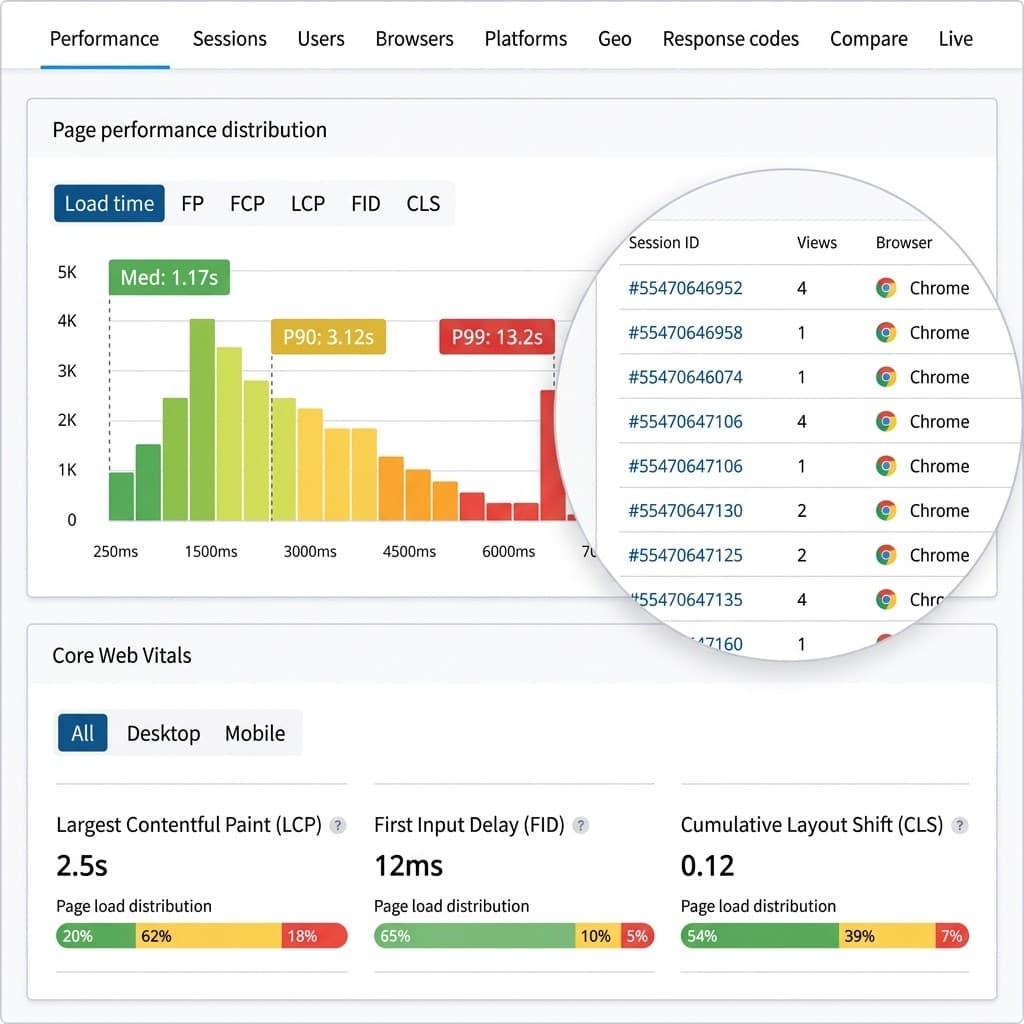
RUM vs. Lighthouse: Why Lab Data Can Mislead You About SEO & UX
Lighthouse can give you a 100 score while real users suffer from sluggishness. Discover why lab data falls short, how it differs from CrUX and RUM, and how to measure real user performance for technical SEO.
INP & Rendering in 2026: Optimize Interaction Without Harming SEO
A technical guide to understanding Interaction to Next Paint (INP), the Main Thread, Long Tasks, and the impact of JavaScript, the DOM, and third-party scripts on user experience and organic performance in 2026.
Have a project in mind?
I build modern, fast, and SEO-optimized web solutions. Let's talk!